
The software to run your pet taxi business
Your clients enter where their pet is picked up and where it's going. izyPet works out the distance, the estimated price and the trip time, then gets the contract and the invoice ready. You approve every request and run your business from your phone.
Your day
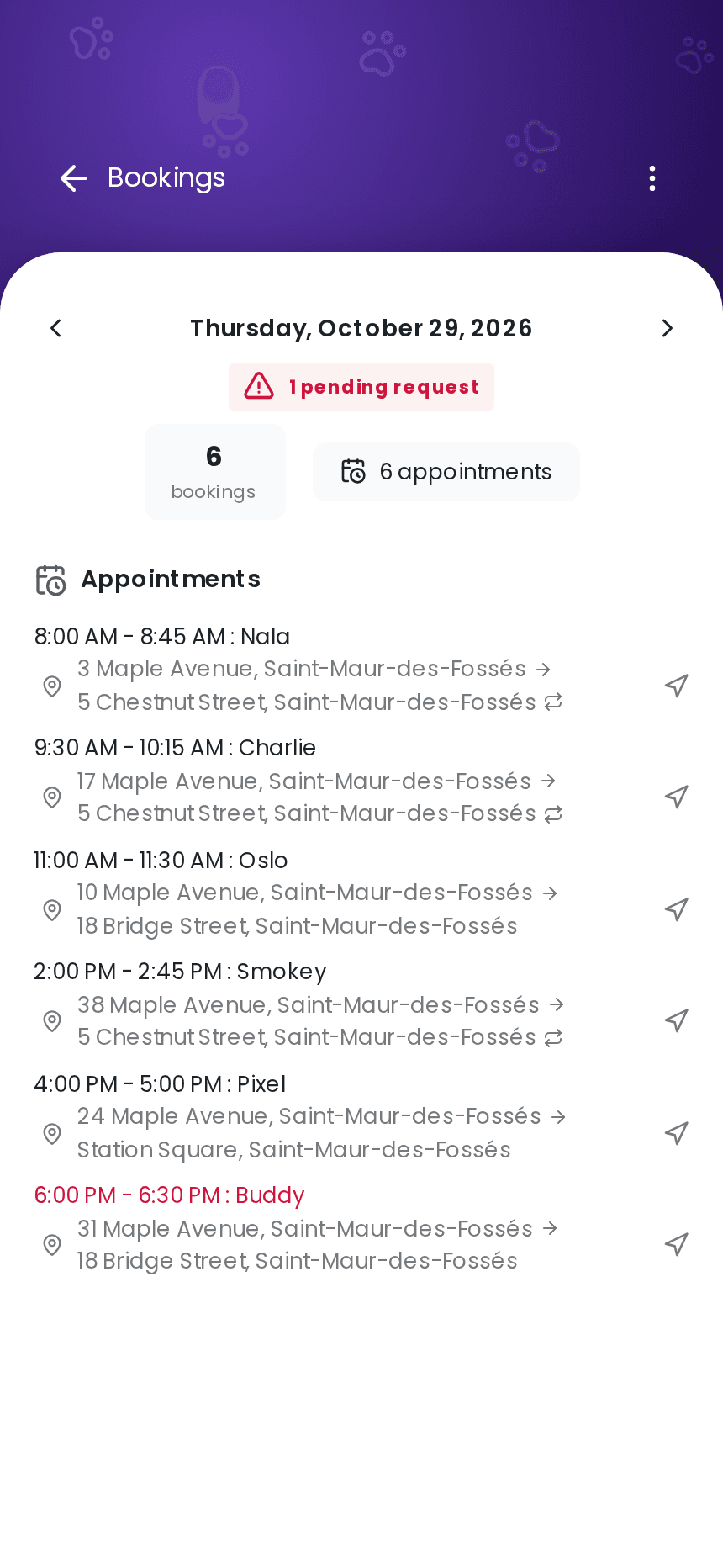
Today's trips on your phone
First thing in the morning, your trips are there in order: times, animals, pickup and drop-off addresses, and the return when there is one. One tap on the directions button opens the GPS app you already use.
A new request comes in while you're driving? You get a notification and can look at it at your next stop. All your trips stay in one place, with no juggling between a notebook and text messages.
Online booking
Take trip requests without picking up the phone
On your booking page, the client enters the pickup address, the destination and, if they need it, the trip back. The pickup is already filled in with their own address. Then they choose from the open slots that leave enough time for the drive.
Before sending the request, your client sees an estimated price that breaks down the pickup fee and the distance to drive. You approve each request and confirm the final price, adjusting it if needed.
See how online booking works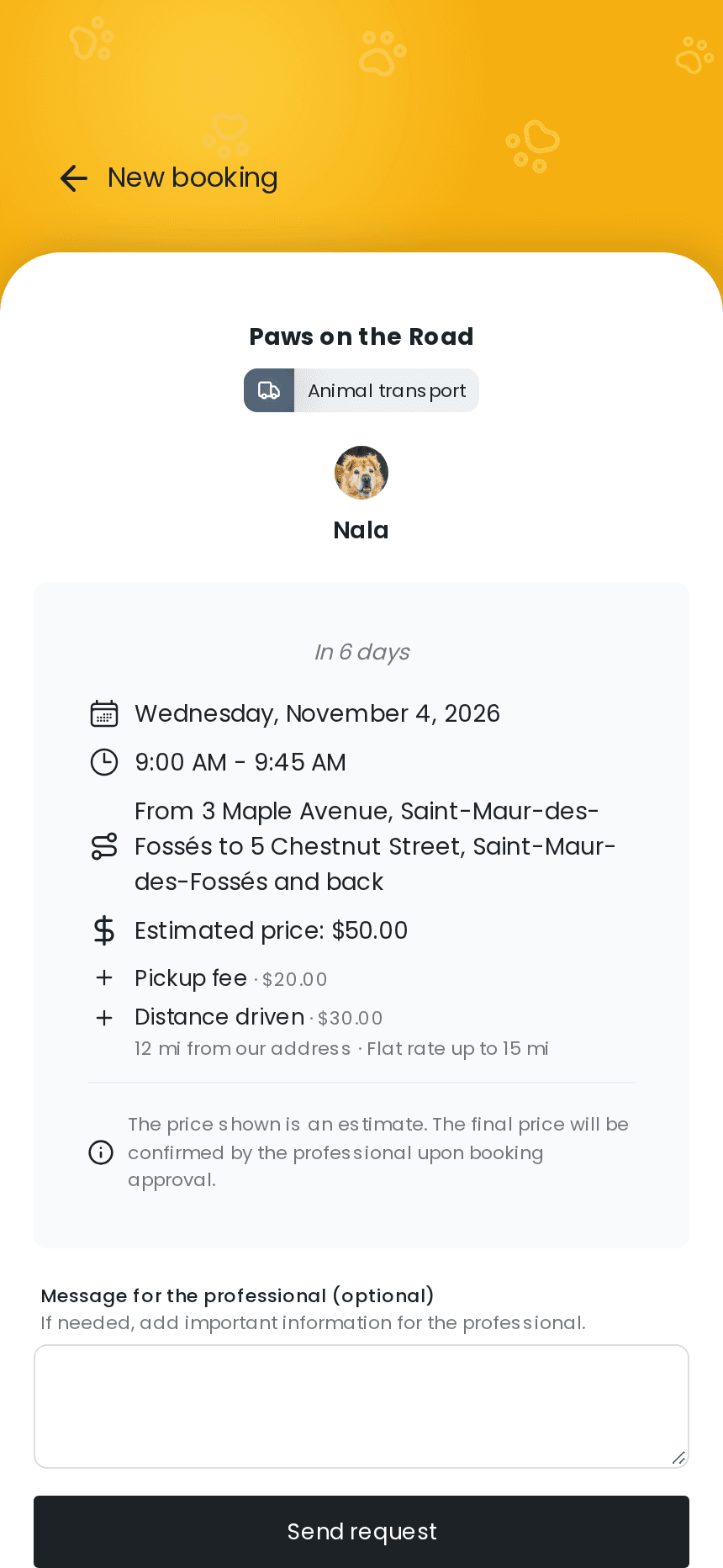
Price per mile
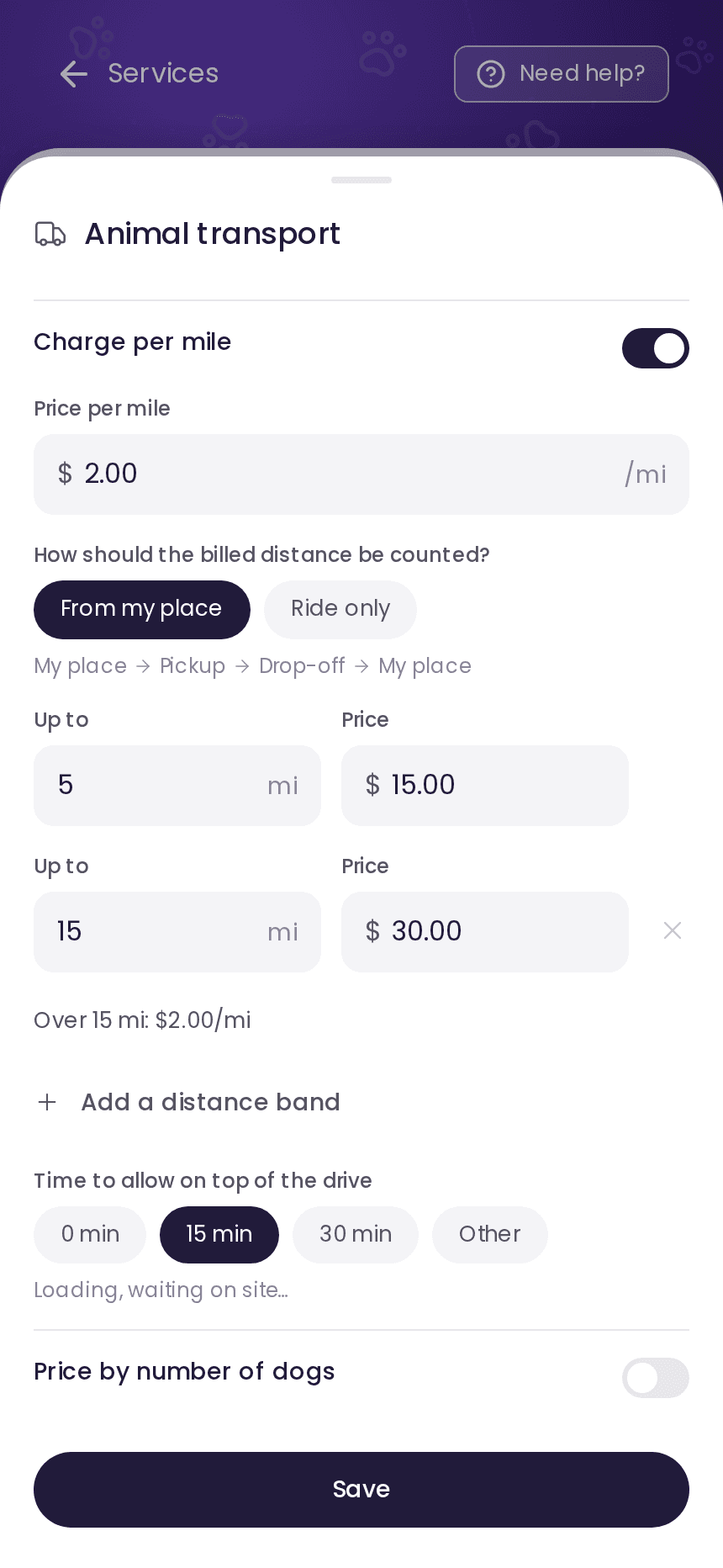
Your rates: a pickup fee and a price per mile
On each transport rate, turn on per-mile billing: the rate's price then becomes the pickup fee, and the price per mile is added on top. You can include free miles or set distance bands, for example “up to 5 miles, $15”, then a price per mile beyond that.
Choose which miles count. “From my place” includes the drive to the pickup, the trip and the drive back to your place. “Ride only” counts just the animal's trip, plus the return to the pickup when there is one. Google Maps works out the distance along the road route, not as the crow flies.
Trip and schedule
Drive time built into your schedule
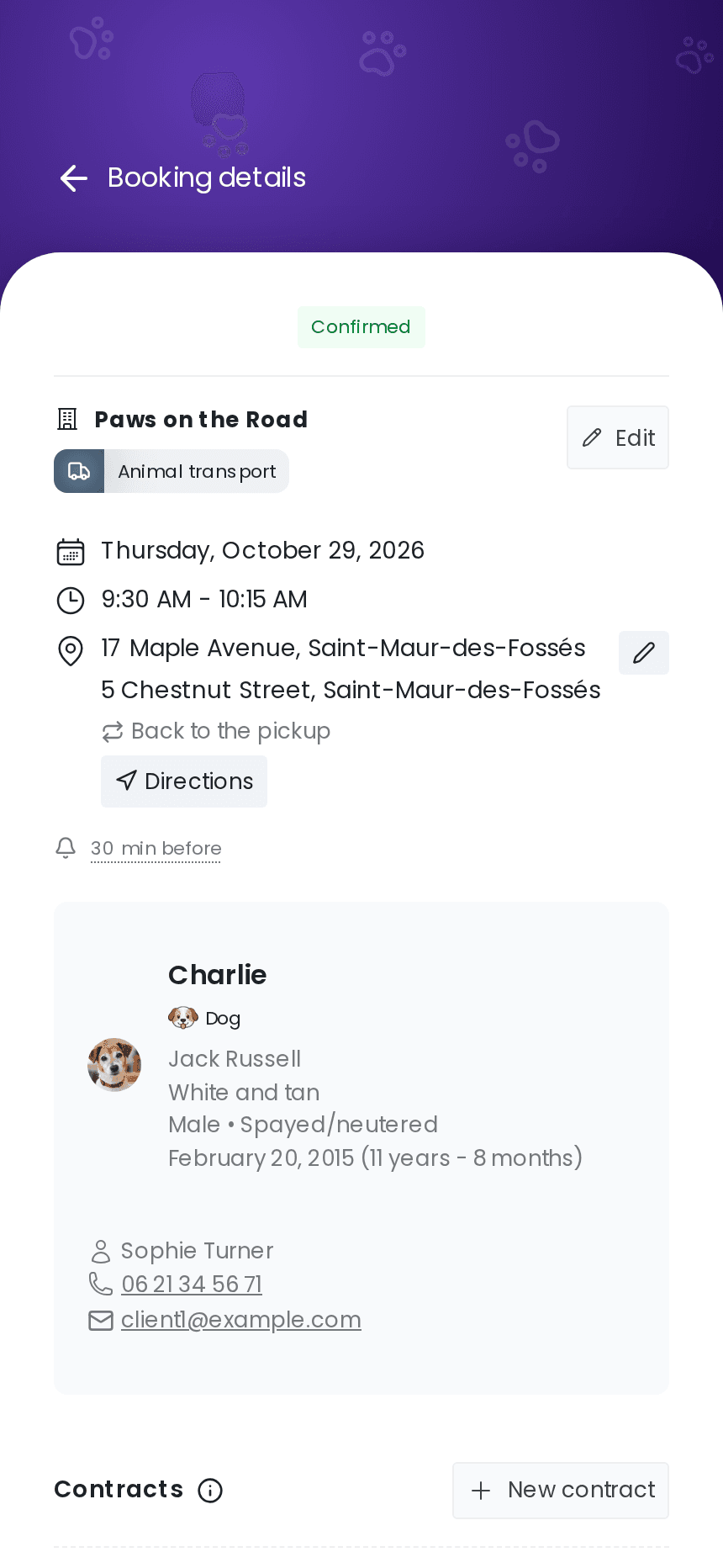
Each booking keeps its route: pickup, drop-off, and back to the pickup when there is a return. The appointment length allows for the calculated drive time and the “Time to allow on top of the drive” you set for loading the animal or waiting on site.
An address changes? The distance is recalculated right away. If the new route no longer fits the slot, izyPet warns you and offers to change your times.
Your trips
One tool for every kind of trip you do
Set up a service for each kind of trip, with its price and duration. Your clients then pick the one they need.
Vets and clinics
For a checkup or surgery, plan the drive there, the wait at the clinic and the trip back home.
Grooming and boarding
Run the shuttle between home and the groomer, the boarding kennel or daycare for owners who can't make the trip themselves.
Train stations and airports
Take the animal to the train station or the airport, or pick it up when it arrives.
Moving day
Take the animals to their new home while their owners handle the move.
Regular sessions
Rehab, hydrotherapy or daycare: you enter the same trip for every date in one go.
Owners without a car
Get animals where they need to go for owners who are older, don't drive or have limited mobility.
Long distance
For an adoption across the country or a trip home after vacation, put together a quote before you prepare the contract.
Do you look after pets too?
Boarding, pet sitting, walks: your whole business runs on the same account, in a single schedule.
Animal record
What to know before you set off
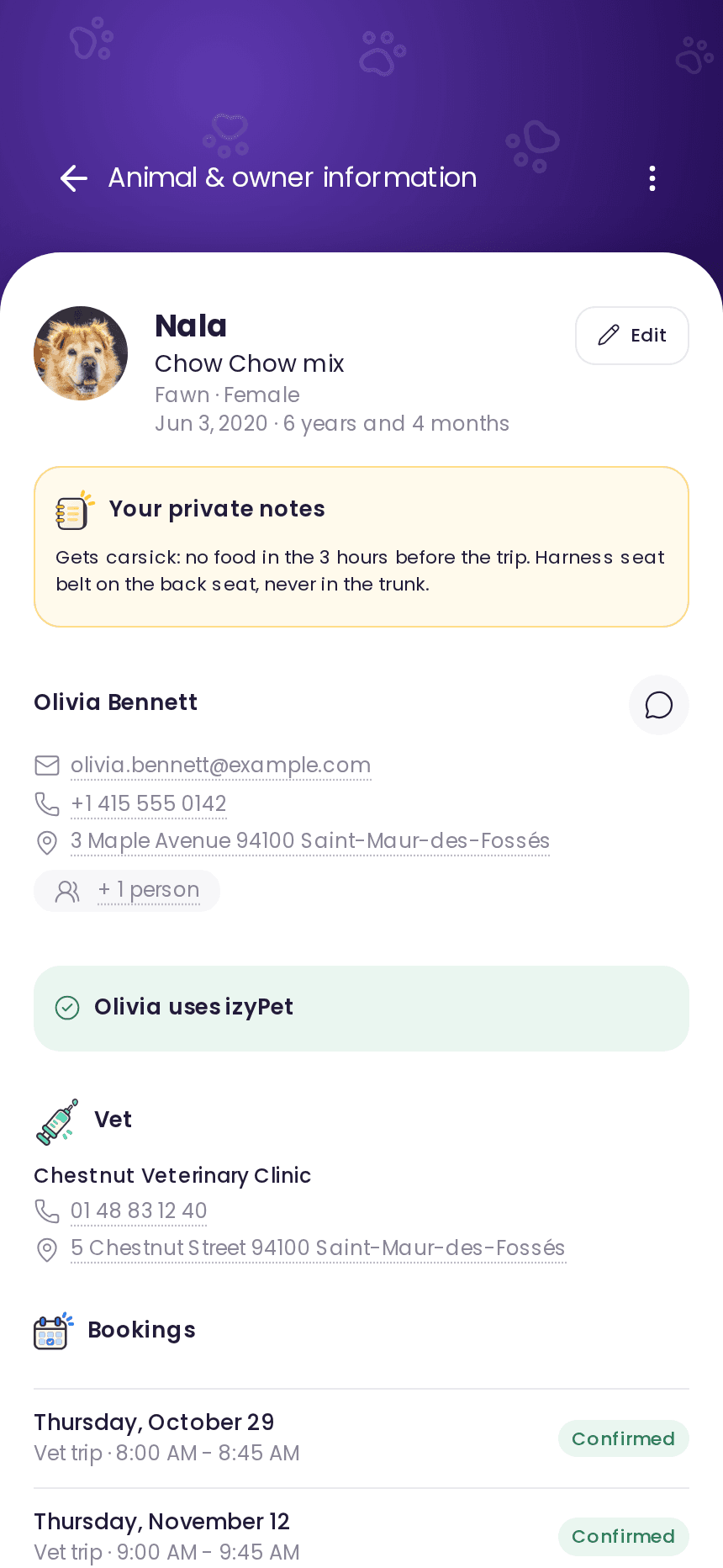
Each animal record holds the species, breed, age, ID number and vet details. Add your notes for the trip, like a dog that gets carsick or a cat that has to stay in its carrier.
The owner can attach the health record or a prescription to the animal record. Shared photos are filed there too. On the day of the trip, you have all of it on your phone.
Messaging
Keep the owner posted, photo included
When you set off and when you arrive, send a photo or a short video of the animal in the izyPet conversation. The owner hears from you and knows how the trip is going.
Each client has their own conversation, with their animals and bookings in one place. Your personal number stays private, and clients without an account can simply reply by email.
Discover client messaging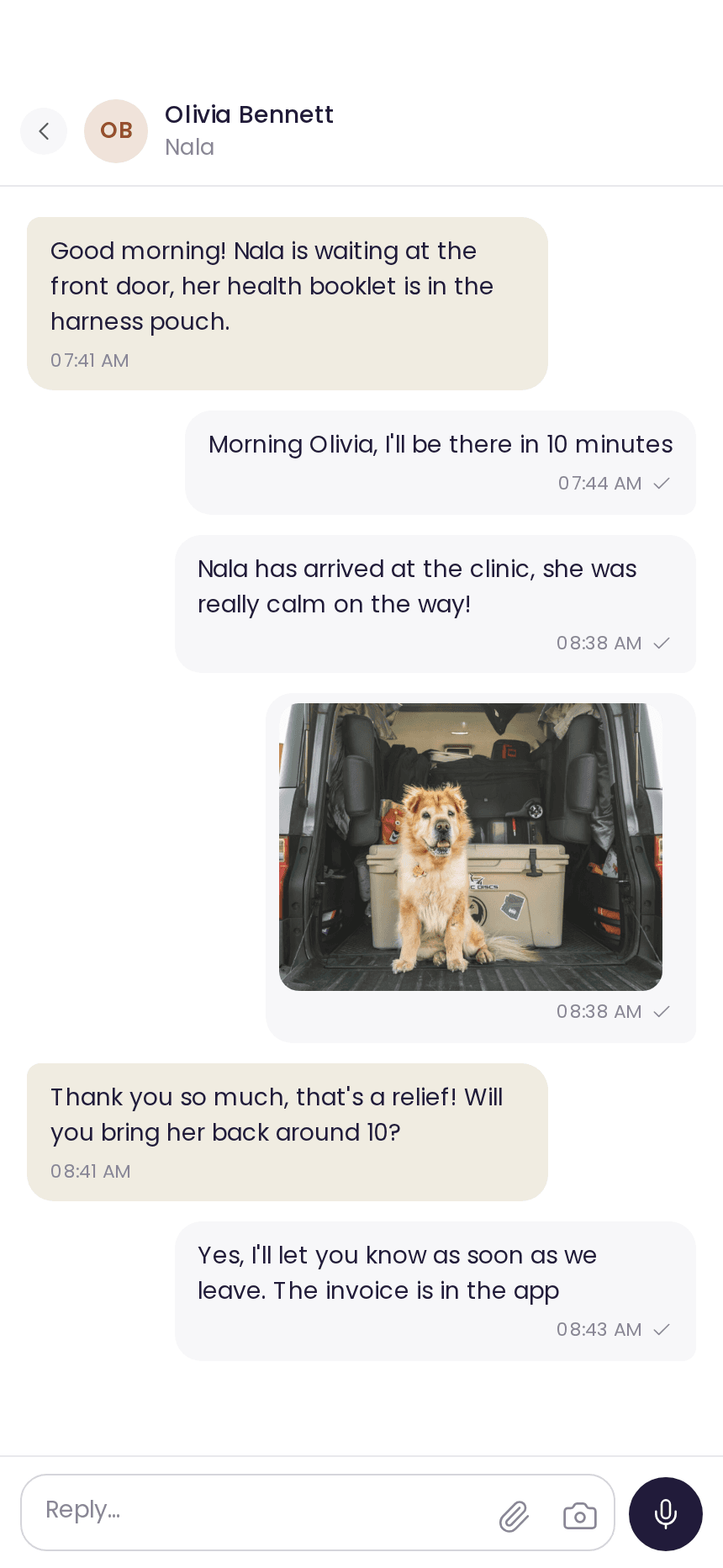
Invoices and payment
From trip to invoice, nothing to type twice
izyPet prepares the invoice from the booking: the main service, then a “Distance driven” line with the trip and how the price was worked out. Your client receives the invoice and can pay it online by card. The money is then paid out to your account.
See what's been paid and what's still to collect. In France, your invoices already meet the mandatory e-invoicing requirements.
Discover online payments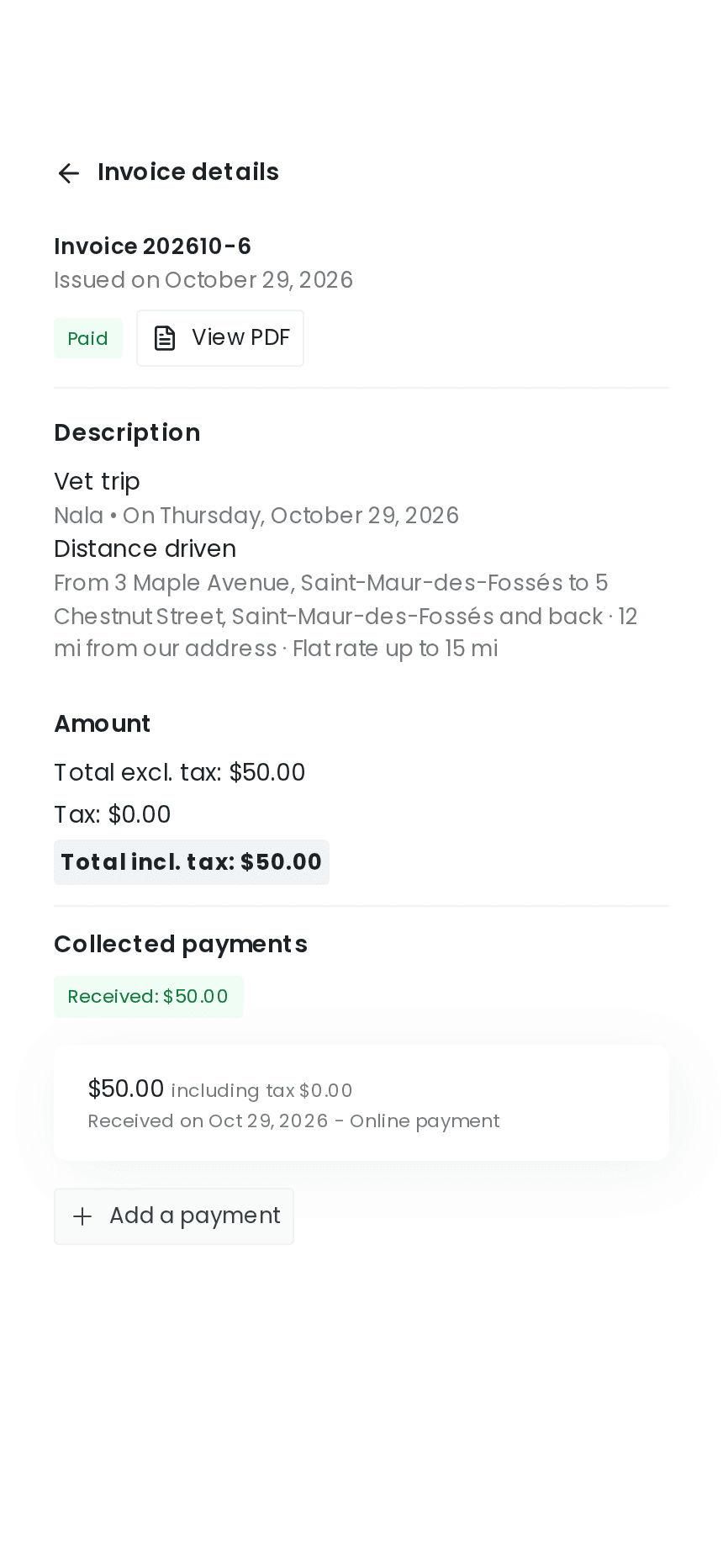
In practice
From request to payment
Follow a trip with izyPet step by step, from your client's request to the paid invoice.
Booking
The client requests a trip
On your booking page, the owner enters where their pet is picked up and where it's going, then picks a slot that allows for the drive time. Before sending the request, they see an estimated price that breaks down the pickup fee and the expected miles.
Confirmation
You accept, your client signs
Once you approve, the contract sets out your terms and the deposit you ask for. Your client signs it online before the trip.
Trip day
You pick up the animal
Check the animal record on your phone and open the route in your GPS app. When you arrive, send a photo in the conversation to keep the owner posted.
After the trip
Your client pays the invoice
The invoice shows the distance driven and the details of the trip. Your client pays online by card, and the invoice is marked as paid automatically.
Quote, contract, deposit
Your terms set before you leave
Every trip puts your liability on the line. Set out your terms in writing before you leave to cut down on misunderstandings.
A quote for long trips
For a move or a trip of several hours, you put together a custom quote from your rates, ready to send as a PDF.
Your terms, signed online
Every booking creates a contract with your cancellation and liability terms. The client signs it right from their phone.
Discover contractsA deposit to hold the slot
Ask for a deposit or a down payment when the client books. The amount you receive then comes off the final invoice automatically.
Discover invoicingYou drive. izyPet handles the rest: bookings, mileage, contracts and invoices.
izyPet fits many animal-care trades.
Your questions about running a pet taxi business
What software should I use for a pet taxi business?
Is izyPet a good fit for an independent pet taxi?
How do I charge for mileage on a pet transport trip?
Can my clients book a pet taxi online?
Does my schedule take drive time into account?
Should I bill miles from my place or just the animal's trip?
Can I send the owner photos of their animal during the trip?
Can my clients pay for their trip by card?
Can I manage pet transport and pet care in the same software?
How much does izyPet cost for a pet taxi?
Try izyPet for free.
Create your account in a few minutes.
2 months free. No credit card required.